Productivity & Personal Tools

BlurSnap
Blur everything, reveal only what matters
A Windows screenshot tool that automatically blurs sensitive information and lets you paint to reveal only what you want to share.
Overview
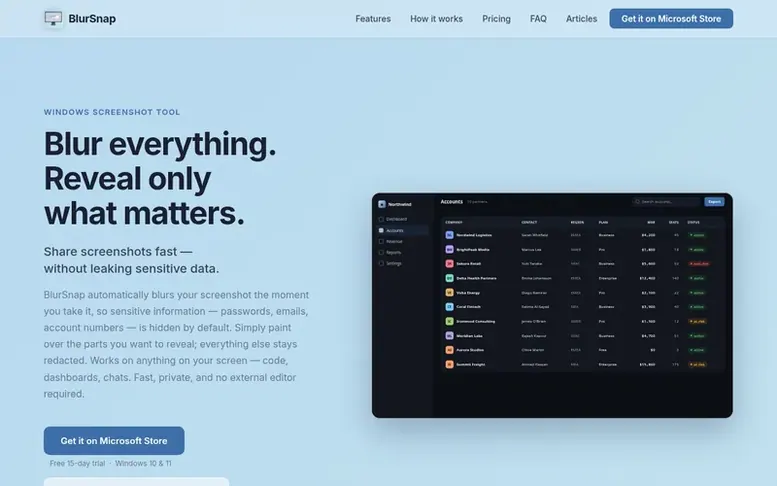
The BlurSnap homepage
BlurSnap is a Windows screenshot editor that automatically blurs your entire screenshot when you capture it, hiding passwords, emails, account numbers and personal data by default. You then paint over only the parts you want to reveal, keeping everything else redacted. The tool works offline on your local machine with no cloud uploads or external editors needed.
The app features a one-click hotkey capture, hold-to-peek mode to see what's underneath, full undo/redo functionality, and an optional frosted glass mode for extra security when sharing publicly. BlurSnap runs locally with no ads, tracking or license keys, and is distributed through the Microsoft Store where it is certified and digitally signed by Microsoft.
Capabilities
- Paint to reveal sensitive areas with customizable brush
- Hold-to-peek to see original before revealing
- Undo and redo any stroke before saving
- Global hotkey for instant capture and editing
- Auto copy to clipboard and auto save results
- Frosted glass mode for maximum security
- Works fully offline with no uploads or cloud processing
Pricing
Pricing model: Free trial
Free 15-day trial with watermark on saved images. One-time $9.99 purchase unlocks full version with no watermark and lifetime access to all future updates.
Follow BlurSnap to get an email when they post a milestone, ship a new product or add a demo video.
BlurSnap fact sheet
| Community votes | 0 |
|---|---|
| Website | blursnap.app |
BlurSnap metrics
Vendor metrics for blursnap.app: Ahrefs Domain Rating and Majestic link data, with the delta since the last review.
- Domain Rating
- 0
- no change since last check
- Trust Flow
- 0
- no change since last check
- Citation Flow
- 11
- no change since last check
- Referring domains
- 1
- no change since last check
- External backlinks
- 1
- no change since last check
Vendor Domain Rating (Ahrefs) checked 6 Nov 2026, spec changed 5 Nov 2026. Vendor Majestic data checked 5 Nov 2026, spec changed 5 Nov 2026. Link metrics supplied by Majestic. Trust Flow, Citation Flow and Topical Trust Flow are trademarks of Majestic-12 Ltd.
BlurSnap vendor domain
Open the vendor record
We read this from the registry's RDAP record on 5 Nov 2026, 11:50 UTC.
- Domain age
- 3 months
- Registered
- Expires
- Registrar
- CloudFlare, Inc.
- DNSSEC
- Not signed
BlurSnap post-launch report
| Measure | At launch, then latest |
|---|---|
| Domain Rating (Ahrefs) | 0 first measured 5 Nov 2026 |
| Trust Flow (Majestic) | 0 first measured 5 Nov 2026 |
| Referring domains (Majestic) | 1 first measured 5 Nov 2026 |
Day 0 since launch. Next receipt: day 30, 5 Dec 2026. Many things move these figures, so a change is not proof of cause. Only stored readings are shown.
About to launch?
Plan your launch with our free playbook, from preparing your listing to choosing more launch directories.
- The week before
- On the day
- Week one
- Beyond launch
Buyer questions
How do I hide sensitive information before sharing a screenshot?
Take the screenshot with BlurSnap and the whole image is blurred instantly, hiding passwords, emails, account numbers and personal data by default. Then paint over only the parts you want to show and save.
Is BlurSnap free?
BlurSnap comes with a free 15-day trial of the full version with all features enabled, but saved images carry a small watermark. After 15 days, a one-time $9.99 purchase unlocks the full version and removes the watermark.
Does it need an internet connection?
No. BlurSnap works fully offline with no license key to validate and nothing is ever uploaded. Your screenshots never leave your machine.
Can the hidden parts be recovered?
No. The hiding is baked into the pixels with no layer to peel off and no original tucked inside the file. An optional frosted glass mode goes further by replacing hidden areas with a plain sheet instead of blurring.
Which Windows versions are supported?
Windows 10 and Windows 11 (64-bit).
Leave a review for BlurSnap
No customer reviews of BlurSnap yet. Write the first. Customer reviews are free and nobody can buy them.
BlurSnap has a free listing. The owner can unlock the full profile with a paid launch for $5:
- Founder story (locked)
- Milestones (locked)
- Demo video (locked)
- Dofollow website link (locked)
Compare with
| # | Product | DR | Votes |
|---|---|---|---|
| 1 |  MyFrameworkTurn messy problems into clearer decisions with proven frameworks |
17 −1 (down) since last check | 1 votes. Log in to vote for MyFramework as a buyer |
| 2 |  LFG AlarmThe social alarm clock with superintelligence |
21 no change since last check | 0 votes. Log in to vote for LFG Alarm as a buyer |
| 3 |  ClivraA private visual clipboard history for Mac |
0 no change since last check | 0 votes. Log in to vote for Clivra as a buyer |
| 4 |  RenamerXAI file renamer and organizer with local-first processing |
1 no change since last check | 0 votes. Log in to vote for RenamerX as a buyer |