Productivity & Personal Tools

ScreenRec
Explain Anything Faster with Screen Recording, Screenshots & Dictation
A free desktop app for screen recording, annotated screenshots, and voice dictation that helps teams save time and communicate faster with instant private video
Overview
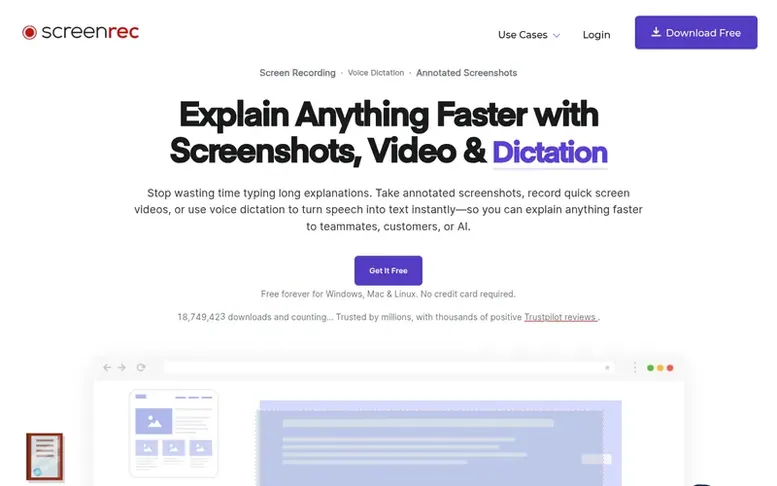
The ScreenRec homepage
ScreenRec is a free desktop application for Windows, Mac, and Linux that enables users to record their screen, capture annotated screenshots, and use voice dictation to explain topics quickly. The tool supports recording screen, webcam, microphone, and computer audio simultaneously, with instant private sharing via generated links. Users can add annotations, highlights, and comments to screenshots, and the platform provides cloud storage, analytics, and content management features. ScreenRec aims to help teams reduce meetings, cut long emails, and improve communication through visual messaging. The company emphasizes privacy, with encrypted content and user-controlled access permissions.
Capabilities
- Screen, webcam, microphone and audio recording
- Annotated screenshots with comments and highlights
- Instant private sharing with generated links
- Cloud storage with encryption and access control
- Recording analytics showing viewers and duration
- Content management with tags and collections
- Recording quality up to 4K at 60 FPS
- Pause and resume recording
- Voice dictation for speech-to-text
- Live stream recording
Pricing
Pricing model: Freemium
Free Forever: £0/mo with 2GB cloud storage, unlimited recording length up to 720p, no watermark, 5 dictation minutes/mo, 1 user seat. Pro: £8.32/mo (billed annually) with 50GB cloud storage, up to 1080p, 180 dictation minutes/mo. Premium: £81.66/mo (billed annually) with 200GB cloud storage, up to 4
Follow ScreenRec to get an email when they post a milestone, ship a new product or add a demo video.
ScreenRec fact sheet
| Community votes | 0 |
|---|---|
| Founded | 2019 |
| Stage | Established |
| Based in | San Francisco, United States |
| Website | screenrec.com |
ScreenRec metrics
Vendor metrics for screenrec.com: Ahrefs Domain Rating and Majestic link data, with the delta since the last review.
- Domain Rating
- 73
- no change since last check
- Trust Flow
- 22
- no change since last check
- Citation Flow
- 43
- no change since last check
- Referring domains
- 1,196
- no change since last check
- External backlinks
- 8,334
- no change since last check
Vendor Domain Rating (Ahrefs) checked 6 Nov 2026, spec changed 1 Nov 2026. Vendor topic: Business/Marketing and Advertising (21). Vendor Majestic data checked 1 Nov 2026, spec changed 1 Nov 2026. Link metrics supplied by Majestic. Trust Flow, Citation Flow and Topical Trust Flow are trademarks of Majestic-12 Ltd.
ScreenRec vendor domain
Open the vendor record
We read this from the registry's RDAP record on 6 Nov 2026, 14:11 UTC.
- Domain age
- 10 years
- Registered
- Expires
- Registrar
- EuroDNS S.A.
- DNSSEC
- Not signed
ScreenRec post-launch report
| Measure | At launch, then latest |
|---|---|
| Domain Rating (Ahrefs) | 73 to 73 no change since launch 1 Nov 2026, then 5 Nov 2026 |
| Trust Flow (Majestic) | 22 first measured 1 Nov 2026 |
| Referring domains (Majestic) | 1,196 first measured 1 Nov 2026 |
Day 5 since launch. Next receipt: day 30, 1 Dec 2026. Many things move these figures, so a change is not proof of cause. Only stored readings are shown.
About to launch?
Plan your launch with our free playbook, from preparing your listing to choosing more launch directories.
- The week before
- On the day
- Week one
- Beyond launch
Buyer questions
How long can I record with ScreenRec?
Unregistered users can record videos up to 5 minutes long. After creating a free account, recording length becomes unlimited across all plans.
What are the maximum video quality options?
Free Forever plan supports up to 720p, Pro plan up to 1080p, and Premium plan up to 4K recording quality.
How much dictation time is included in each plan?
Free Forever includes 5 dictation minutes per month, Pro includes 180 minutes per month, and Premium includes 1200 dictation minutes per month.
Is business use allowed on the free plan?
No, business use requires a paid plan. The Free Forever plan is for personal, non-commercial use only, while the Pro plan allows business use.
What happens to my recordings if I go offline?
ScreenRec allows offline recording and access, meaning you can use the software and access your content even when not connected to the internet.
Leave a review for ScreenRec
No customer reviews of ScreenRec yet. Write the first. Customer reviews are free and nobody can buy them.
ScreenRec has a free listing. The owner can unlock the full profile with a paid launch for $5:
- Founder story (locked)
- Milestones (locked)
- Demo video (locked)
- Dofollow website link (locked)
Compare with
| # | Product | DR | Votes |
|---|---|---|---|
| 1 |  MyFrameworkTurn messy problems into clearer decisions with proven frameworks |
17 −1 (down) since last check | 1 votes. Log in to vote for MyFramework as a buyer |
| 2 |  LFG AlarmThe social alarm clock with superintelligence |
21 no change since last check | 0 votes. Log in to vote for LFG Alarm as a buyer |
| 3 |  ClivraA private visual clipboard history for Mac |
0 no change since last check | 0 votes. Log in to vote for Clivra as a buyer |
| 4 |  RenamerXAI file renamer and organizer with local-first processing |
1 no change since last check | 0 votes. Log in to vote for RenamerX as a buyer |