Testing & QA

ScreenTest.run
Free browser-based tools for testing monitors and displays
Browser-based visual testing patterns for inspecting display quality, pixel defects, color accuracy, and refresh behavior.
Overview
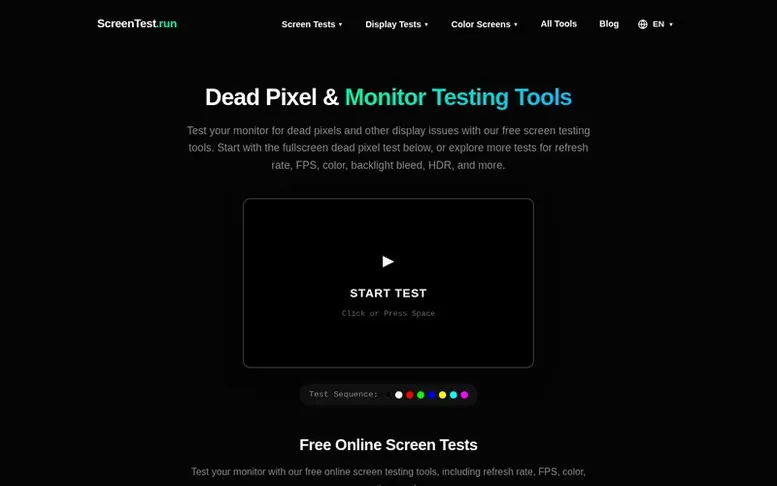
The ScreenTest.run homepage
ScreenTest.run provides free browser-based patterns and tools for visual display checks. The toolset includes 5 screen tests for checking dead or stuck pixels, backlight bleed, and OLED behavior; 16 display tests for refresh rate, motion artifacts, color, and gradients; and 12 color screens for reference viewing and uniformity checks. The tools are designed for gamers, designers, and anyone evaluating a display. No installation is required—open a pattern in your browser and use fullscreen mode to inspect your screen from your normal viewing position. The site emphasizes that these are visual checks rather than laboratory measurements, and results depend on hardware, browser, and operating system configuration.
Capabilities
- Dead pixel and stuck pixel detection
- Refresh rate testing
- Backlight bleed detection
- Monitor color testing with 12 fullscreen colors
- Color calibration tools
- Frame rate testing
- HDR testing
- Screen tearing and ghosting detection
- OLED screen testing
- Screen resolution checker
Pricing
Pricing model: Free
Follow ScreenTest.run to get an email when they post a milestone, ship a new product or add a demo video.
ScreenTest.run fact sheet
| Community votes | 0 |
|---|---|
| Website | screentest.run |
ScreenTest.run metrics
Vendor metrics for screentest.run: Ahrefs Domain Rating and Majestic link data, with the delta since the last review.
- Domain Rating
- 9
- no change since last check
- Trust Flow
- 3
- no change since last check
- Citation Flow
- 23
- no change since last check
- Referring domains
- 15
- no change since last check
- External backlinks
- 52
- no change since last check
Vendor Domain Rating (Ahrefs) checked 6 Nov 2026, spec changed 3 Nov 2026. Vendor topic: Computers/Software/Operating Systems (3). Vendor Majestic data checked 3 Nov 2026, spec changed 3 Nov 2026. Link metrics supplied by Majestic. Trust Flow, Citation Flow and Topical Trust Flow are trademarks of Majestic-12 Ltd.
ScreenTest.run vendor domain
Open the vendor record
We read this from the registry's RDAP record on 6 Nov 2026, 06:19 UTC.
- Domain age
- 11 months
- Registered
- Expires
- Registrar
- NameSilo, LLC
- DNSSEC
- Not signed
ScreenTest.run post-launch report
| Measure | At launch, then latest |
|---|---|
| Domain Rating (Ahrefs) | 9 to 9 no change since launch 3 Nov 2026, then 5 Nov 2026 |
| Trust Flow (Majestic) | 3 first measured 3 Nov 2026 |
| Referring domains (Majestic) | 15 first measured 3 Nov 2026 |
Day 2 since launch. Next receipt: day 30, 3 Dec 2026. Many things move these figures, so a change is not proof of cause. Only stored readings are shown.
About to launch?
Plan your launch with our free playbook, from preparing your listing to choosing more launch directories.
- The week before
- On the day
- Week one
- Beyond launch
Compare and explore
See the alternatives to ScreenTest.run, WCAG Repair vs ScreenTest.run, usbRecognized vs ScreenTest.run, VirtuProbe Studio vs ScreenTest.run, more in Testing & QA.
Buyer questions
What is a dead pixel?
A dead pixel is a pixel on a display that no longer emits light and typically appears as a small black dot, most noticeable against light or white backgrounds. This occurs when all three of the pixel's sub-pixels—red, green, and blue—fail to operate.
What is a stuck pixel?
A stuck pixel is a pixel in which one or more of its sub-pixels—red, green, or blue—remain continuously active, causing the pixel to show a single persistent color such as red, green, blue, or white.
Can dead or stuck pixels be fixed?
Dead pixels are usually the result of permanent hardware failure and cannot be repaired. Stuck pixels may sometimes respond to fixes such as software that cycles colors or light pressure with a soft cloth, though success is not guaranteed and improper pressure can cause additional damage.
Does this test work on Mobile (iPhone/Android)?
Yes, ScreenTest.run is responsive and works on mobile devices. On high-resolution displays like Retina or OLED, you may need to look very closely or use a magnifying glass since pixels are microscopic.
What causes dead pixels?
Dead pixels typically result from defects that occur during the manufacturing process of the LCD or OLED panel, but can also develop over time due to physical damage, overheating, or component aging.
Leave a review for ScreenTest.run
No customer reviews of ScreenTest.run yet. Write the first. Customer reviews are free and nobody can buy them.
ScreenTest.run has a free listing. The owner can unlock the full profile with a paid launch for $5:
- Founder story (locked)
- Milestones (locked)
- Demo video (locked)
- Dofollow website link (locked)
Compare with
| # | Product | DR | Votes |
|---|---|---|---|
| 1 |  WCAG RepairAutomated WCAG 2.1 & 2.2 AA accessibility scanning with AI-generated remediation guidance |
39 +11 (up) since last check | 0 votes. Log in to vote for WCAG Repair as a buyer |
| 2 |  usb |
11 no change since last check | 0 votes. Log in to vote for usbRecognized as a buyer |
| 3 |  Virtu |
8 +1 (up) since last check | 0 votes. Log in to vote for VirtuProbe Studio as a buyer |
| 4 | Optux AIRun A/B tests, SEO experiments, and personalization on your website using Cloudflare infrastructure without requiring developer involvement. | 14 +7 (up) since last check | 0 votes. Log in to vote for Optux AI as a buyer |