Productivity & Personal Tools

EasySwitch
Control Mac, Windows and Linux computers with one keyboard and mouse, share clipboard and files, then turn another computer into a real second display.
EasySwitch fact sheet
| Community votes | 0 |
|---|---|
| Based in | United States |
| Website | easyswitch.realbrain.cc |
EasySwitch metrics
Vendor metrics for easyswitch.realbrain.cc: Ahrefs Domain Rating and Majestic link data, with the delta since the last review.
- Domain Rating
- 20
- −1 (down) since last check
- Trust Flow
- 15
- no change since last check
- Citation Flow
- 22
- no change since last check
- Referring domains
- 31
- no change since last check
- External backlinks
- 67
- no change since last check
Vendor Domain Rating (Ahrefs) checked 17 Oct 2026, spec changed 16 Oct 2026. Vendor topic: Computers/Programming/Internet (10). Vendor Majestic data checked 14 Oct 2026, spec changed 14 Oct 2026. Link metrics supplied by Majestic. Trust Flow, Citation Flow and Topical Trust Flow are trademarks of Majestic-12 Ltd.
EasySwitch vendor domain
We read this from the registry's RDAP record on 16 Oct 2026, 14:20 UTC.
- Domain age
- 4 years
- Registered
- Expires
- Registrar
- Cloudflare, Inc.
- DNSSEC
- Signed
A software application that lets you control multiple computers with one keyboard and mouse, share clipboard and files between them, and use one computer as a
Overview
The EasySwitch homepage
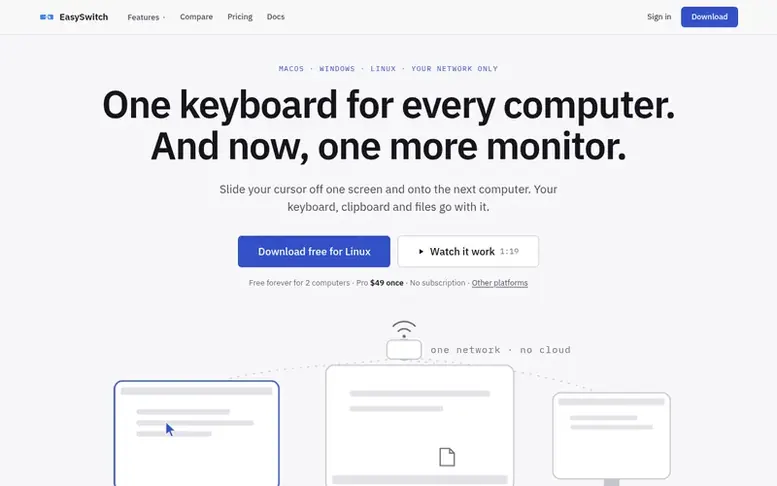
EasySwitch links Mac, Windows and Linux computers on your desk into one workspace. Move your cursor off the edge of one screen onto another computer and the keyboard goes with it. Share text, images and files through a unified clipboard, drag files across the screen edge to transfer them between machines, and turn any linked computer into an extra monitor that appears as a native display to your operating system. All communication is end-to-end encrypted over your local network with no remote servers involved. The free tier supports two computers; paid plans add more machines and features.
Capabilities
- Control multiple computers with one keyboard and mouse across screen edges
- Unified clipboard for text, images and files between computers
- Drag and drop files between computers across screen edge
- Keyboard shortcuts to switch between machines instantly
- End-to-end encryption on all tiers including free
- Web bridge for phone and browser file and text access
- Support for Mac, Windows and Linux in any combination
- Command/Control shortcut swapping for mixed Mac and Windows desks
Pricing
Pricing model: Freemium
Free for 2 computers forever. Essentials $29 (launch price, regular $39) for up to 3 computers. Pro $49 (launch price, regular $59) for up to 5 computers. Studio $99 for up to 10 computers. Business $179 for up to 25 computers. All paid plans are one-time purchases, never subscriptions. Launch price
Buyer questions
Is EasySwitch free?
Yes, the free tier includes mouse, keyboard, clipboard (text, images and files up to 10 MB), and drag-and-drop across two computers forever with no account needed. Paid plans lift the file transfer limit to unlimited size, link up to 5 or more computers, and add the web bridge and virtual displays as a one-time purchase with no subscription.
Is EasySwitch remote desktop and can it see my screen?
EasySwitch is not remote desktop and never mirrors your screen. The Extend feature creates a brand-new, empty display and streams only that, encrypted over your local network. When Extend is off, only input, clipboard and files you explicitly move are transmitted.
Does EasySwitch work between Mac and Windows computers?
Yes, any combination works including Mac to Windows, two Windows PCs, two Macs, or Linux to anything. You can enable Command to Control shortcut swapping so keyboard shortcuts follow you between machines of different operating systems.
Do I need an internet connection to use EasySwitch?
No. Everything runs over your own local network via Wi-Fi or Ethernet. A paid license is activated online once, but after that the app works forever offline. The free tier requires no activation at all.
Is the encryption free or do I have to pay for it?
Every connection is end-to-end encrypted with the Noise protocol on every tier, including the free tier. Encryption is never a paid feature.
Leave a review for EasySwitch
No customer reviews of EasySwitch yet. Write the first. Customer reviews are free and nobody can buy them.
EasySwitch has a free listing. The owner can unlock the full profile with a paid launch for $5:
- Founder story (locked)
- Milestones (locked)
- Demo video (locked)
- Dofollow website link (locked)
Compare with
| # | Product | DR | Votes |
|---|---|---|---|
| 1 |  FocusDeckBuild your study ritual once and run it every session with progress tracking FocusDeckBuild your study ritual once and run it every session with progress tracking |
2 no change since last check | 0 votes. Log in to vote for FocusDeck as a buyer |
| 2 |  FlowroomFocus together, silently FlowroomFocus together, silently |
0 no change since last check | 0 votes. Log in to vote for Flowroom as a buyer |
| 3 |  WensaFree resume builder with ATS-ready templates to create professional resumes online WensaFree resume builder with ATS-ready templates to create professional resumes online |
2 no change since last check | 0 votes. Log in to vote for Wensa as a buyer |
| 4 |  GlassNudgeThe reminder you can't ignore GlassNudgeThe reminder you can't ignore |
0 no change since last check | 0 votes. Log in to vote for GlassNudge as a buyer |