Mac & desktop utilities

Shotput
Native Mac screenshot tool for pasting into AI chat applications
A free, open source Mac screenshot tool designed to capture areas of the screen and paste them directly into Claude, Cursor, ChatGPT and other chat
Overview
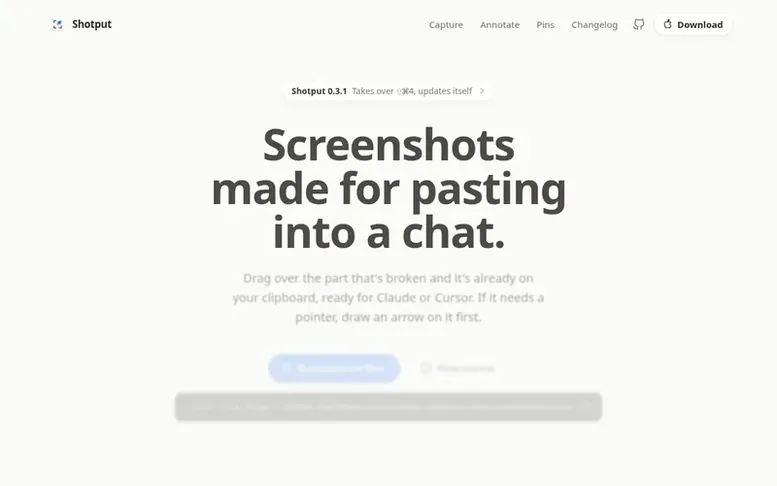
The Shotput homepage
Shotput is a native Mac screenshot utility that streamlines the process of capturing and sharing screenshots with AI agents. Users press a keyboard shortcut, drag to select an area, and the screenshot is immediately copied to the clipboard for pasting into Claude, Cursor, ChatGPT or other applications. The tool includes an annotation editor for drawing arrows, shapes, text and other marks directly on screenshots before sharing. Captures can be pinned in the menu bar for reuse, and the application supports keyboard shortcuts, mouse buttons, and launcher integration. Built with Swift and AppKit, Shotput runs entirely on-device without network access, keeping all captures private on the user's Mac.
Capabilities
- Capture screen areas and copy directly to clipboard
- Annotation editor with arrows, shapes, text and highlighting
- Window capture with clean corners
- Snap to edges and guide alignment
- Customizable keyboard shortcuts
- Optional local file saving in PNG, JPEG or HEIC
- Background feature for docs and posts
- No network access or telemetry
Pricing
Pricing model: Open source
Free. MIT licensed, no paid tier.
Follow Shotput to get an email when they post a milestone, ship a new product or add a demo video.
Shotput fact sheet
| Community votes | 0 |
|---|---|
| Website | shotput.kshv.me |
Shotput metrics
Vendor metrics for shotput.kshv.me: Ahrefs Domain Rating and Majestic link data, with the delta since the last review.
- Domain Rating
- 5
- no change since last check
- Trust Flow
- 0
- no change since last check
- Citation Flow
- 0
- no change since last check
- Referring domains
- 0
- no change since last check
- External backlinks
- 0
- no change since last check
Vendor Domain Rating (Ahrefs) checked 17 Nov 2026, spec changed 13 Nov 2026. Vendor Majestic data checked 13 Nov 2026, spec changed 13 Nov 2026. Link metrics supplied by Majestic. Trust Flow, Citation Flow and Topical Trust Flow are trademarks of Majestic-12 Ltd.
Shotput vendor domain
Open the vendor record
We read this from the registry's RDAP record on 17 Nov 2026, 12:47 UTC.
- Domain age
- 1 year
- Registered
- Expires
- Registrar
- HOSTINGER operations, UAB
- DNSSEC
- Not signed
Shotput post-launch report
| Measure | At launch, then latest |
|---|---|
| Domain Rating (Ahrefs) | 5 to 5 no change since launch 13 Nov 2026, then 16 Nov 2026 |
| Trust Flow (Majestic) | 0 first measured 13 Nov 2026 |
| Referring domains (Majestic) | 0 first measured 13 Nov 2026 |
Day 4 since launch. Next receipt: day 30, 13 Dec 2026. Many things move these figures, so a change is not proof of cause. Only stored readings are shown.
About to launch?
Plan your launch with our free playbook, from preparing your listing to choosing more launch directories.
- The week before
- On the day
- Week one
- Beyond launch
Compare and explore
See the alternatives to Shotput, Everywhere vs Shotput, MFlare vs Shotput, Kepo vs Shotput, DissectMac vs Shotput, TidyFrame vs Shotput, Botroost vs Shotput, more in Mac & desktop utilities.
Buyer questions
Is Shotput really free?
Yes. Shotput is MIT licensed with source code on GitHub. There is no paid tier and no account required.
Does anything I capture leave my Mac?
No. The app is sandboxed without network entitlement, so macOS prevents it from sending captures anywhere. Updates come through a separate helper that only downloads signed releases, and text recognition runs locally on your Mac.
Where do captures go?
Captures go to the clipboard immediately. Optionally, Settings can save every capture to a folder you choose as PNG, JPEG, or HEIC files with a customizable name template.
Can Shotput replace the native macOS screenshot tool?
Yes. In Settings under Shortcuts, you can enable Use ⇧⌘3, ⇧⌘4 and ⇧⌘5 to move Shotput's captures onto those keys. Alternatively, you can keep macOS on its keys and enable Preview macOS screenshots to give each shot Shotput's preview instead.
Leave a review for Shotput
No customer reviews of Shotput yet. Write the first. Customer reviews are free and nobody can buy them.
Shotput has a free listing. The owner can unlock the full profile with a paid launch for $5:
- Founder story (locked)
- Milestones (locked)
- Demo video (locked)
- Dofollow website link (locked)
Compare with
| # | Product | DR | Votes |
|---|---|---|---|
| 1 |  BacklogA screensaver for your Steam Deck, made from your own games |
7 no change since last check | 0 votes. Log in to vote for Backlog as a buyer |
| 2 |  MFlareYour Cloudflare, right in the menu bar |
31 +1 (up) since last check | 0 votes. Log in to vote for MFlare as a buyer |
| 3 |  DiskfernA native Mac disk space analyzer that finds space hogs and helps you clean safely |
11 +2 (up) since last check | 0 votes. Log in to vote for Diskfern as a buyer |
| 4 |  Disk |
4 +1 (up) since last check | 0 votes. Log in to vote for DiskClue as a buyer |