Productivity & Personal Tools

Yotei
Screenshot to calendar for Windows and Mac
A desktop app that converts screenshots of calendar events into calendar entries by selecting an area, reviewing details, and confirming the addition to Google
Overview
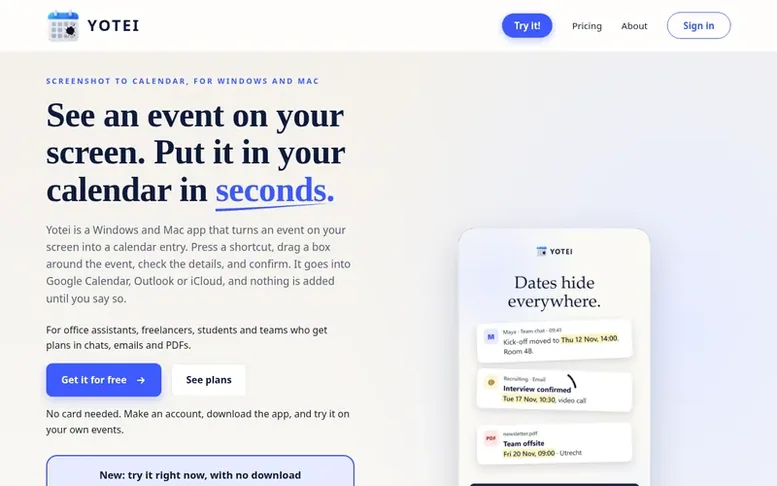
The Yotei homepage
Yotei is a desktop application for Windows and Mac that automates adding calendar events from screenshots. Users press a keyboard shortcut, drag a box around an event visible on their screen, review the automatically extracted details including title, date, time and location, then confirm to add it to their calendar.
The app integrates with Google Calendar, Outlook, Microsoft 365, Windows Calendar, Apple iCloud Calendar, and other calendar services including Fastmail, Zoho, Yahoo and Nextcloud. It addresses the gap left by iPhone's iOS 26 screenshot-to-calendar feature, which has no equivalent on Windows and Mac.
Yotei is designed for office assistants, freelancers, students and teams who receive event invitations through screenshots, chats, emails and PDFs. The app only captures the area the user selects, shows what it read before saving anything, and deletes screenshots immediately after confirmation or within 48 hours. Users can edit events after adding them and changes sync across all devices.
Capabilities
- Drag-and-drop event selection from any screen area
- Automatic extraction of event title, date, time and location
- Edit events after adding them with automatic calendar sync
- User confirmation before any event is saved
- Works on Windows and Mac
- Support for up to 2 personal computers per account
- Screenshots automatically deleted within 48 hours
- Team account management with invite and removal functionality
Pricing
Pricing model: Freemium
Free plan: 10 screenshot readings per month. Individual (1 person): €4.99/month or €49.99/year. Team (up to 5 people): €19.99/month or €199.99/year. Team (up to 50 people): €99.99/month or €999.99/year. 20% discount applied automatically on first payment.
Follow Yotei to get an email when they post a milestone, ship a new product or add a demo video.
Yotei fact sheet
| Community votes | 0 |
|---|---|
| Based in | Apeldoorn, Netherlands |
| Website | yotei.win |
Yotei metrics
Vendor metrics for yotei.win: Ahrefs Domain Rating and Majestic link data, with the delta since the last review.
- Domain Rating
- 8
- +6 (up) since last check
- Trust Flow
- 0
- no change since last check
- Citation Flow
- 20
- no change since last check
- Referring domains
- 6
- no change since last check
- External backlinks
- 54
- no change since last check
Vendor Domain Rating (Ahrefs) checked 12 Nov 2026, spec changed 11 Nov 2026. Vendor Majestic data checked 9 Nov 2026, spec changed 9 Nov 2026. Link metrics supplied by Majestic. Trust Flow, Citation Flow and Topical Trust Flow are trademarks of Majestic-12 Ltd.
Yotei vendor domain
Open the vendor record
We read this from the registry's RDAP record on 11 Nov 2026, 05:32 UTC.
- Domain age
- 1 month
- Registered
- Expires
- Registrar
- Cloudflare, Inc.
- DNSSEC
- Not signed
Yotei post-launch report
| Measure | At launch, then latest |
|---|---|
| Domain Rating (Ahrefs) | 1 to 8 +7 (up) since launch 9 Nov 2026, then 11 Nov 2026 |
| Trust Flow (Majestic) | 0 first measured 9 Nov 2026 |
| Referring domains (Majestic) | 6 first measured 9 Nov 2026 |
Day 3 since launch. Next receipt: day 30, 9 Dec 2026. Many things move these figures, so a change is not proof of cause. Only stored readings are shown.
About to launch?
Plan your launch with our free playbook, from preparing your listing to choosing more launch directories.
- The week before
- On the day
- Week one
- Beyond launch
Buyer questions
How do I add a screenshot to my calendar?
Press the Yotei shortcut, drag a box over the event on your screen, check the title, date, time and place it read, and confirm. It goes into your calendar without you typing it.
Does it work with Google Calendar and Outlook?
Yes. Confirmed events go into Google Calendar, Outlook, Microsoft 365 and iCloud. Other calendar apps work through calendar files.
Does it work on Windows and Mac?
Yes, both. Yotei is a desktop app, so it reads what is on your screen in any program.
What happens to my screenshot?
Only the box you drag is read. You see what Yotei read before anything is added, and the screenshot is deleted when you confirm, or within 48 hours.
Is it free?
You can try Yotei free with no credit card required, with 10 free screenshot readings per month. See the pricing page for what the free plan includes and for the paid plans.
Leave a review for Yotei
No customer reviews of Yotei yet. Write the first. Customer reviews are free and nobody can buy them.
Yotei has a free listing. The owner can unlock the full profile with a paid launch for $5:
- Founder story (locked)
- Milestones (locked)
- Demo video (locked)
- Dofollow website link (locked)
Compare with
| # | Product | DR | Votes |
|---|---|---|---|
| 1 |  MyFrameworkTurn messy problems into clearer decisions with proven frameworks |
17 −1 (down) since last check | 1 votes. Log in to vote for MyFramework as a buyer |
| 2 |  Sermon |
1 no change since last check | 0 votes. Log in to vote for SermonMate as a buyer |
| 3 |  nTiliaOffline notes app for field journalists and researchers with on-device transcription, encrypted vault, and bilingual citable journal |
12 no change since last check | 0 votes. Log in to vote for nTilia as a buyer |
| 4 |  Leaf |
0 no change since last check | 0 votes. Log in to vote for LeafRead as a buyer |