Mac & desktop utilities

TidyFrame
Mac window manager that snaps windows into place and saves whole multi-app layouts as workspaces you restore with one keyboard shortcut
A macOS utility that snaps windows into place and lets you save and restore entire window layouts with a single keyboard shortcut.
Overview
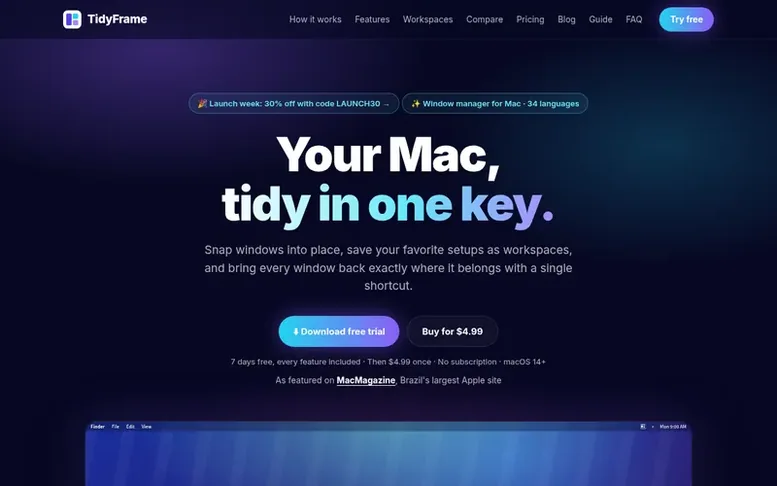
The TidyFrame homepage
TidyFrame is a window manager for macOS that helps you arrange and manage your windows efficiently. It lets you snap windows into precise positions—halves, thirds, quarters, sixths and more—either with keyboard shortcuts, by dragging to screen edges, or through automatic arrangement. You can save your complete window layouts as named workspaces and restore them all with a single keyboard shortcut, with apps opening automatically if needed. The app includes app-specific rules to place applications in consistent locations, multiple monitor support, and 34 language options. TidyFrame runs entirely on your Mac with no account, tracking, or data collection.
Capabilities
- Workspaces: save up to 6 windows per setup and restore them all with one shortcut
- Snap windows in halves, thirds, quarters, sixths and more
- App Rules to place each app in consistent locations
- Automatic arrangement for open windows
- Customizable keyboard shortcuts and window positions
- Multiple monitor support with independent window management per display
- Available in 34 languages
- No account or data collection required
- Live preview of saved workspaces showing apps and readiness status
- Automatic app launching when restoring workspaces
Pricing
Pricing model: Paid
$4.99 one-time purchase after 7-day free trial. All future 1.x updates included.
Follow TidyFrame to get an email when they post a milestone, ship a new product or add a demo video.
TidyFrame fact sheet
| Community votes | 0 |
|---|---|
| Based in | India |
| Website | tidyframe.app |
TidyFrame metrics
Vendor metrics for tidyframe.app: Ahrefs Domain Rating and Majestic link data, with the delta since the last review.
- Domain Rating
- 3
- +1 (up) since last check
- Trust Flow
- 2
- no change since last check
- Citation Flow
- 15
- no change since last check
- Referring domains
- 5
- no change since last check
- External backlinks
- 13
- no change since last check
Vendor Domain Rating (Ahrefs) checked 6 Nov 2026, spec changed 1 Nov 2026. Vendor topic: Society/People (2). Vendor Majestic data checked 25 Oct 2026, spec changed 25 Oct 2026. Link metrics supplied by Majestic. Trust Flow, Citation Flow and Topical Trust Flow are trademarks of Majestic-12 Ltd.
TidyFrame vendor domain
Open the vendor record
We read this from the registry's RDAP record on 6 Nov 2026, 01:37 UTC.
- Domain age
- 27 days
- Registered
- Expires
- Registrar
- Porkbun LLC
- DNSSEC
- Not signed
TidyFrame post-launch report
| Measure | At launch, then latest |
|---|---|
| Domain Rating (Ahrefs) | 1 to 3 +2 (up) since launch 25 Oct 2026, then 6 Nov 2026 |
| Trust Flow (Majestic) | 2 first measured 25 Oct 2026 |
| Referring domains (Majestic) | 5 first measured 25 Oct 2026 |
Day 11 since launch. Next receipt: day 30, 24 Nov 2026. Many things move these figures, so a change is not proof of cause. Only stored readings are shown.
About to launch?
Plan your launch with our free playbook, from preparing your listing to choosing more launch directories.
- The week before
- On the day
- Week one
- Beyond launch
Buyer questions
How does the free trial work?
Download TidyFrame and use every feature free for 7 days with no credit card required. When satisfied, purchase a license for $4.99 and enter the key in Settings → License.
Does TidyFrame work with multiple monitors?
Yes. It works with external and vertical displays, snaps windows on whichever screen they are on, can move a window to the next display with a shortcut, and remembers windows on every display when you save a workspace.
Can TidyFrame save and restore my window layout?
Yes. Arrange your windows, click Save as Workspace and give it a shortcut. Press the shortcut later and every window goes back to its place. TidyFrame can also open apps that are closed.
Is it a subscription?
No. You pay $4.99 once and TidyFrame is yours forever.
Does TidyFrame collect any data?
No. There is no account, no analytics and no tracking in the app. Your layouts and settings stay on your Mac.
Leave a review for TidyFrame
No customer reviews of TidyFrame yet. Write the first. Customer reviews are free and nobody can buy them.
TidyFrame has a free listing. The owner can unlock the full profile with a paid launch for $5:
- Founder story (locked)
- Milestones (locked)
- Demo video (locked)
- Dofollow website link (locked)
Compare with
| # | Product | DR | Votes |
|---|---|---|---|
| 1 |  Disk |
3 +1 (up) since last check | 0 votes. Log in to vote for DiskClue as a buyer |
| 2 |  ChoteriNative macOS menu bar utilities that stay out of your way |
1 no change since last check | 0 votes. Log in to vote for Choteri as a buyer |
| 3 |  Tool |
8 +4 (up) since last check | 0 votes. Log in to vote for ToolKITZ as a buyer |
| 4 |  ShediMac cleaner for developers that finds wasted space, explains every item, and removes only what you choose |
5 −1 (down) since last check | 0 votes. Log in to vote for Shedi as a buyer |